How do I upgrade?
Details on how to change your plan
Written By Michael Stewart
Last updated 9 months ago
We make it easy to pause, cancel or switch plans. If you decide to change plans, your billing will be adjusted accordingly. If moving to a higher-tier plan, you’ll receive a prorated refund for the unused portion of your current plan, and your billing cycle will restart immediately under the new plan.
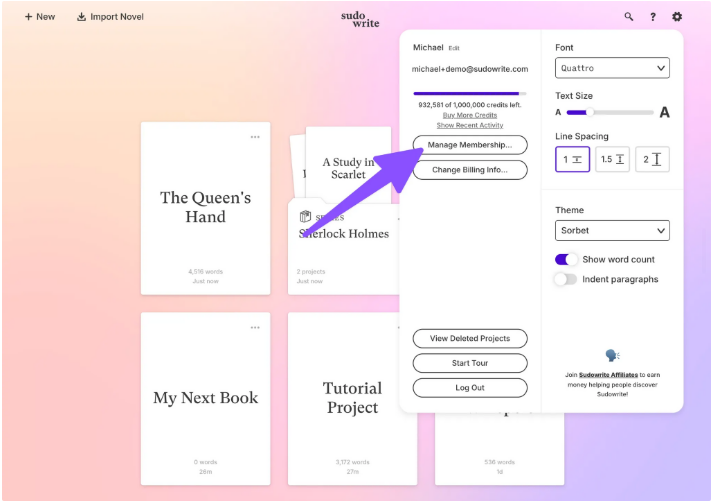
To change your plan, click on the Settings (⚙️) gear icon in the upper right of Sudowrite. Then just select Manage Membership, and you’ll be presented with the plan options available to you.
(Heads up: Legacy plan members switching plans will forfeit their legacy status and any associated bonuses!)
Was this helpful?
Still need help? Share an idea