Easier Formatting: Paragraph Spacing & Improved Copy/Paste
We just added a batch of formatting improvements that will give you more control over paragraph spacing and make copy/paste more reliable.
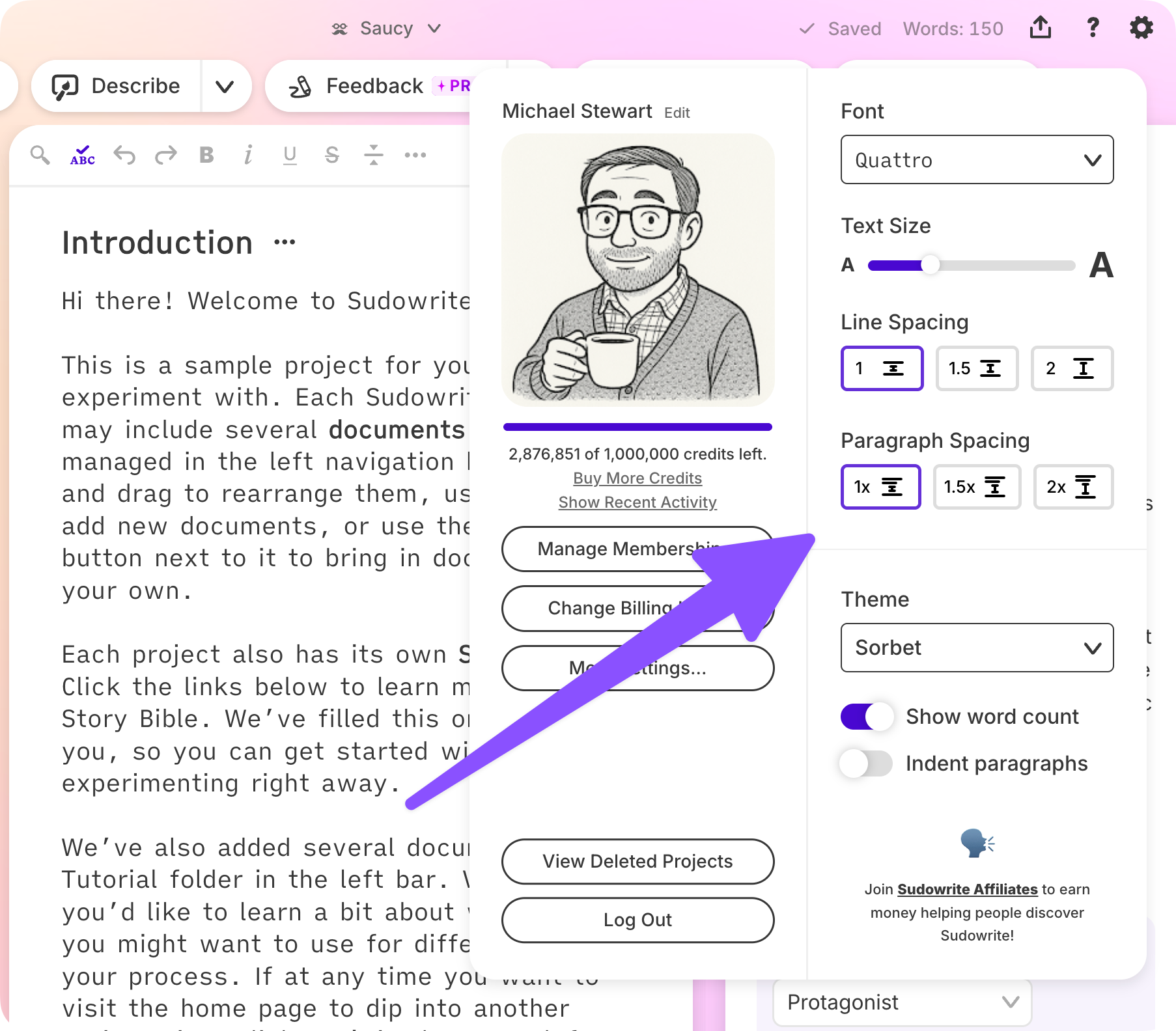
Set your own paragraph spacing
There’s a new Paragraph Spacing setting in your account settings (under the gear ⚙️ icon in the upper right). Choose your preferred paragraph spacing, and it applies consistently across your projects—no more hand-inserting blank lines for readability.
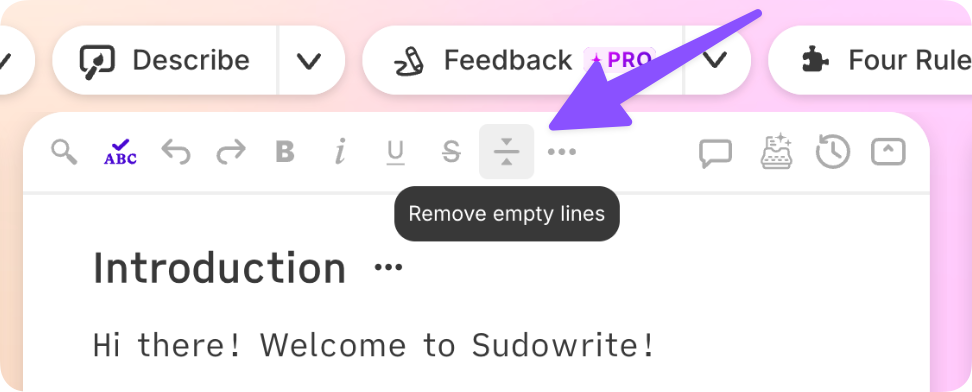
Tidy up empty lines in one click
If you (or a prior import) left empty “spacer” lines to provide a visual buffer, a new toolbar button will collapse them for you—either at the document or project level—so you can use the new paragraph spacing settings instead.
Copy and paste that preserves your formatting
Pasting into Sudowrite from Word, Google Docs, ChatGPT, or Claude now preserves formatting far more reliably. And copying out of Sudowrite will no longer double your line breaks. Imports come in cleaner too, without phantom empty paragraphs.
A more polished editor all around
Headings now scale with your text size and match your chosen font. Nested bullets now use proper markers with tighter spacing. And your formatting—bullets included—should now appear in the editor exactly the same as it does in cards in your History section.
Big thanks to everyone in the community who flagged these copy/paste and spacing issues in recent months. This one’s for you.